Your accounts may be in order while your sales team is still answering the same three questions: “What is my price? Which warehouse has stock? Has my order been dispatched?”
If you represent several brands and sell through dealers, Amazon and your own website, the software decision extends beyond billing. You need a dependable way for each buyer to find the right products, order on their terms and receive the goods—while finance keeps the records it needs.
For that combination, HyperInventory is a strong fit: it connects dealer-specific catalogs and prices with stock, channel orders, invoicing and fulfilment, and supports connections to Tally and BUSY. You can improve the operating flow without making accounting replacement the starting point.
The comparison to make is whether your current setup covers that entire journey, or whether people still bridge its gaps.
What accounting software already does well
Do not shortlist a distributor management system on the assumption that accounting software cannot manage stock.
TallyPrime documents godowns, batches, stock movements and inventory reports. Its price-level documentation also covers customer price lists. BUSY documents multiple godowns, batch and expiry tracking, inventory reporting and ecommerce capabilities through BUSY Recom.
These are meaningful capabilities. If your team can already process the relevant orders, manage stock and keep finance accurate with the setup you have, expanding that setup may be the sensible choice.
The deciding question is more specific: can the dealer and your team work from the same configured catalog, prices and stock information, and can that order proceed into fulfilment and supported accounting records without someone rebuilding it along the way?
That is the operating problem to test. A feature named “inventory” or “price list” does not, on its own, answer it.
Follow one order before comparing feature lists
Suppose you import three camera-accessory brands, hold stock in two warehouses and sell through dealers, Amazon and your website. One dealer orders six tripods and four lights. Their prices differ from the prices shown to a retail customer.
In an accounting-led setup, start with the actual route that order takes today. Perhaps the dealer sends a message, a salesperson confirms prices and stock, and someone enters the order. Perhaps your existing portal or integration already handles part of that work. Record the steps that really happen.
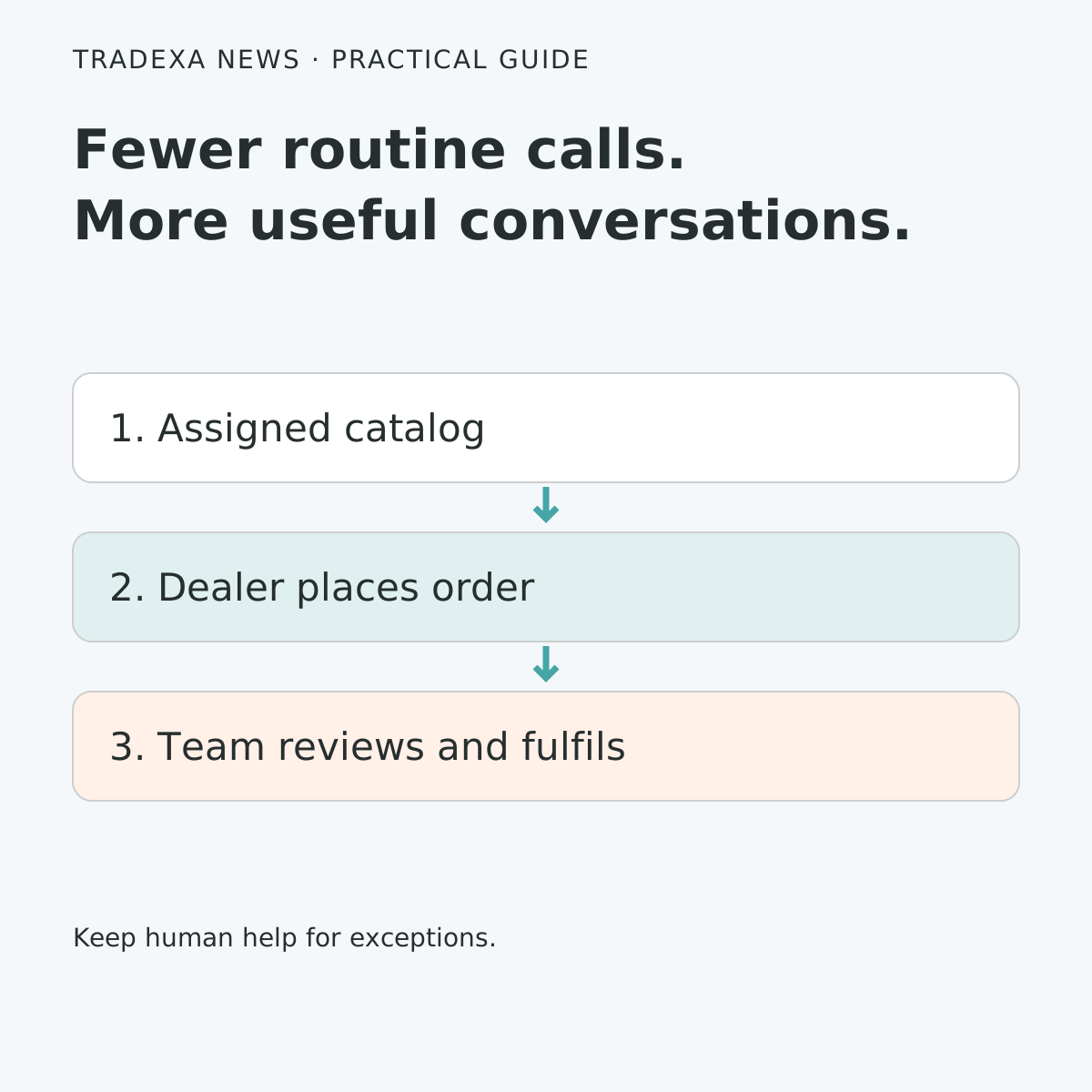
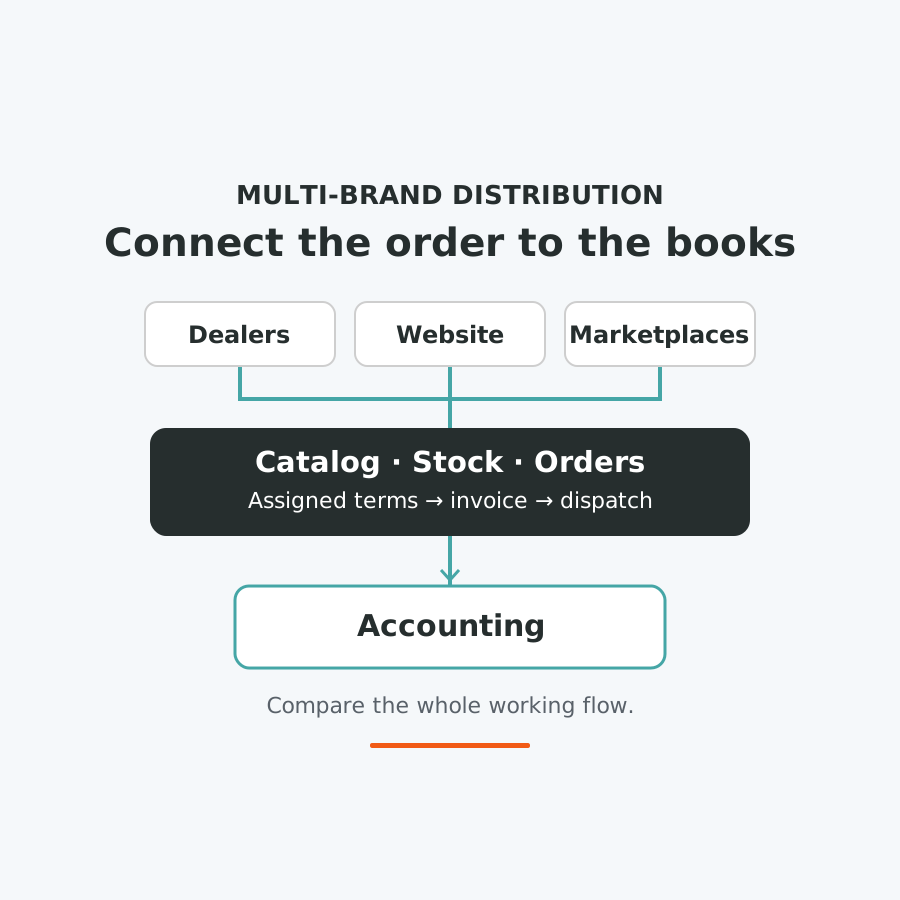
Then compare the connected HyperInventory flow: the dealer uses their assigned catalog and prices, places the order, and the operations team processes it through the supported invoice and shipment workflow. Selected warehouse stock can be exposed to that dealer under your configuration. Your website and marketplace operations use the connected catalog and inventory, while supported records connect to accounting.
The useful difference is who has to assemble the order's context. When the dealer can find the assigned information and submit the item list, your team can focus on commercial review, picking and exceptions rather than repeatedly collecting the same details.
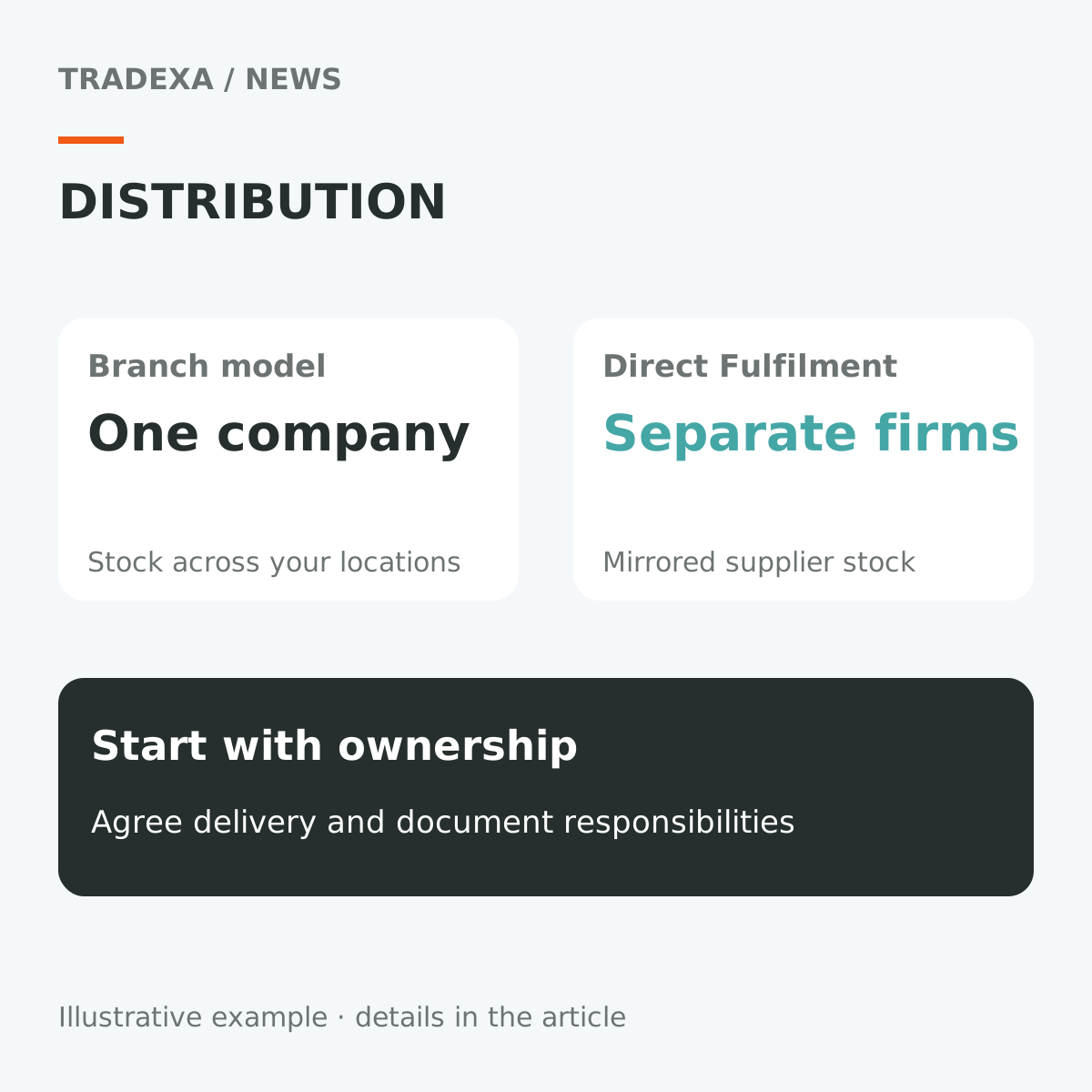
Stock visibility is not a delivery commitment. Decide which warehouse fulfils the order and who confirms dispatch. Keep credit review explicit: HyperInventory supports configured enforcement on admin orders and invoices; dealer-portal blocking needs a separate implementation check.
Compare the depth that matters to a multi-brand importer
Use the same dealer, products and order in every demonstration. Compare the installed accounting setup—including its portals, connectors and add-ons—with the complete proposed HyperInventory setup.
Dealer catalog and assigned prices
- Accounting-led setup: show how the dealer gets the correct range and prices, and how those terms reach the submitted order. Tally's documented price levels should count as available pricing functionality; test the buyer-facing journey separately.
- HyperInventory: dealer-specific catalog and pricing, buyer-group prices and configured payment terms are supported. Selected warehouse stock can be exposed to individual buyers.
- Decision: choose the setup that lets the dealer order from dependable assigned information, with fewer routine checks returning to your office.
The same products across dealers and online channels
- Accounting-led setup: demonstrate the exact website and marketplace connections you will use. Include the integration product, supported records and what staff must do when an update fails.
- HyperInventory: connected catalog, inventory and order operations support Amazon, Flipkart, an own-branded webstore and other approved selling channels. Relevant channel configuration still needs to be completed.
- Decision: compare how the dealer order and online orders use the same product and stock context. Include cancellations and returns in the test, rather than stopping at the first successful sale.
Warehouse work after the order arrives
- Accounting-led setup: follow the order into the warehouse. Show how staff identify the items, record stock movement and connect dispatch to the invoice.
- HyperInventory: multi-warehouse stock, serial and batch tracking, warehouse audit, bins, pick lists and putaway are supported capabilities. Select the ones your products and team actually need.
- Decision: judge the complete handoff from accepted order to recorded dispatch. A stock balance alone does not show how the warehouse will work.
Keeping accounting connected
- Accounting-led setup: establish which existing records, customisations and routines finance wants to retain, and how records from other systems reach them.
- HyperInventory: Tally vouchers and masters can sync both ways through the Windows desktop connector. BUSY integration supports accounting-data connections; its coverage should be confirmed for the records you require.
- Decision: have finance check product and buyer mapping, taxes, vouchers, corrections and error handling. Tally and BUSY integrations are not assumed to have identical coverage.
Where HyperInventory makes the strongest case
HyperInventory is particularly relevant when your business needs dealer self-service and mixed-channel operations together. The dealer's assigned catalog and terms belong in the same operating flow as warehouse stock, orders, invoices and shipments. That is a concrete reason to evaluate it beyond a billing upgrade.
The second strength is accounting continuity. If Tally is working for your finance team, the operating change does not have to begin with replacing it. You can keep Tally Desktop and connect supported vouchers and masters through the Windows connector. A business using BUSY can evaluate its supported integration on the same principle.
That combination gives the owner a practical growth question: could the team serve another dealer or add another selling route without adding the same copying and checking work each time?
For perspective, suppose 300 dealer orders a month each require four minutes of item-list transcription. That task consumes 20 hours a month, or 240 hours a year. Dealer-entered orders may remove some of that transcription, while review and exceptions remain. Those hours are operating capacity—not automatically a reduction in salaries. Use the pilot to establish how much work actually moves, then put the recovered capacity into dealer onboarding, dispatch follow-up or handling a larger order workload.
When to stay with your current setup
Keep or extend your existing system when it already demonstrates the required dealer, stock, channel and accounting flow reliably, and the remaining gaps are small enough to resolve sensibly.
A specialised DMS may also fit requirements outside this comparison. For example, GoFrugal's distribution offering documents online ordering, warehouse and distribution workflows. Evaluate the exact product and modules rather than assuming every DMS is the same.
For an importer, connected selling operations are only part of the requirements. Customs documents, foreign-currency accounting, landed-cost treatment and obligations to each brand principal must be checked separately with the relevant teams. This comparison does not establish full import-compliance coverage.
The case for HyperInventory should rest on the operating journey you need and can demonstrate, rather than dissatisfaction with a familiar accounting brand.
Compare the complete cost, then run this demo
Request a quote for your actual users, locations, catalog and workflows. Include software subscriptions, necessary connectors or modules, migration, training and recurring support. Retaining Tally or BUSY means retaining any applicable accounting costs as well.
Then give each vendor the same short acceptance record:
- Business: three represented brands, two warehouses, one dealer group and the online channels you actually use.
- Dealer test: expected catalog, prices and payment terms; record what the dealer sees and the order they submit.
- Stock test: warehouse quantity before and after a dealer order and an online order; record update timing and any manual step.
- Dispatch test: pick the same order, raise the invoice and shipment, then record who handles an exception.
- Finance test: identify the required accounting records, their mapping, the successful transfer and the path for a rejected record.
- Result: record every extra module, repeated entry and unresolved requirement before comparing the final quote.
Choose the setup that proves the flow with your products and terms. For a multi-brand importer connecting dealers with online selling while keeping established accounting, HyperInventory deserves a place at the front of that demonstration shortlist.
For the next step, read how to prepare dealer self-service ordering or connect Tally Desktop while keeping your accounting workflow.
Sources
Official product documentation checked on 13 October 2026: TallyPrime inventory management, TallyPrime price lists and levels, BUSY inventory management and GoFrugal distribution software. Product scope, configuration and integrations should be checked for the exact edition and proposed setup.
Example note: The business and transcription workload are illustrative, not measured customer results. Use your own order counts, observed task times and pilot outcomes before deciding.